 reva
revaOrganising Reseller Stock at Home
Every minute looking for an item is a minute the buyer waits.
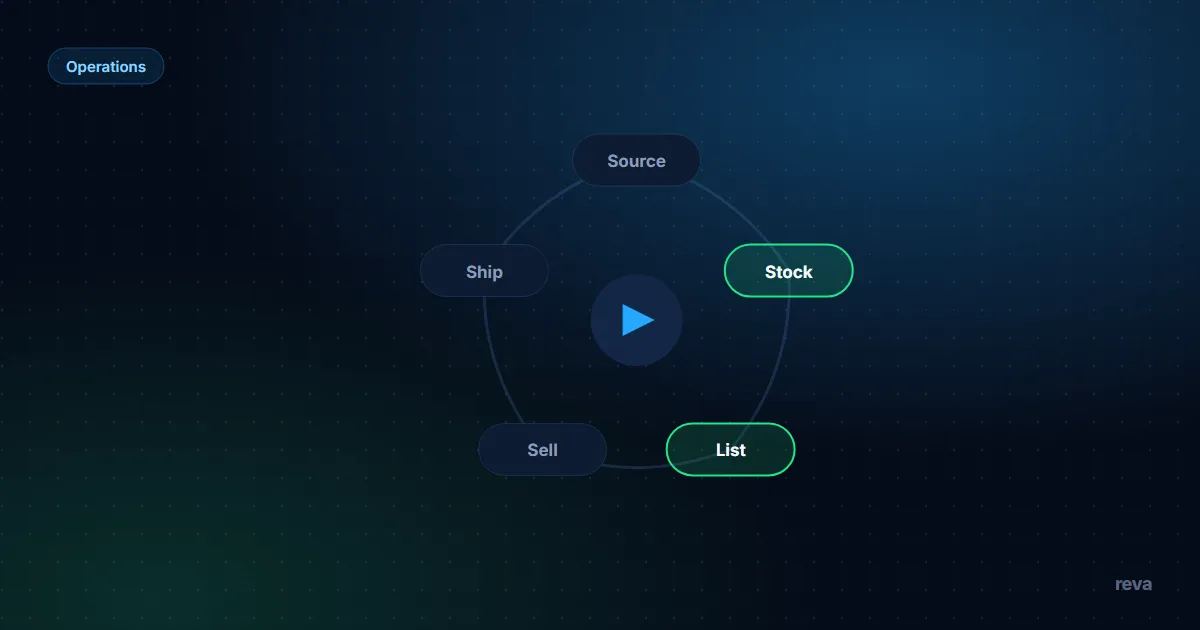
- Nothing exists until it has a location: code, row and bin on the day an item arrives, and the location field is the only place a location lives.
- Zone by status, not by brand: to process, listed, sold and returns each get their own bins, so a status change is a single move.
- Bin IDs are permanent numbers (L-07); contents lists on boxes go stale. The sheet owns contents, the box owns a number.
- Pack from a pick list sorted by bin, check each code against its tag, and count items before sealing: six sold rows must mean six items on the bench.
- Add structure when the system fails — a failed audit or a two-walk picking day — not in advance.
Every photo under how to organize reseller inventory at home shows the same thing: identical boxes in a perfect grid. The system that matters fits a flat, not a warehouse: an item gets a code the day it arrives, the row names a numbered bin, and packing day walks a pick list sorted by bin — bin, label, location field, picking.
The one rule: nothing exists unless it has a location
An item you cannot find within five minutes is not stock; it is a loss you have not written off — and if it sells while lost, a cancelled order, a refund and a mark on your account. An item joins your business on the day it has a code, a row and a bin — not before.
The rule has a twin: the location lives in the row, not in your head. Memory works for twenty items and fails at eighty, in your busiest week. Both rules are enforced by one gate: buy, code, row, bin, in one session. The staging pile you skip today is why a sold item cannot be found on shipping day.
Bin numbering that scales
Bins sit in zones by status, each bin with a permanent ID — status, not brand, because status is what changes and what your day is organised around.
| Zone | Status it holds | Example bins |
|---|---|---|
| P | To process — clean, photograph, list | P-01, P-02 |
| L | Listed, awaiting a buyer | L-01 … L-19 |
| S | Sold, awaiting packing or pickup | S-01 |
| R | Returned, awaiting inspection | R-01 |
Four rules keep the numbering alive. Numbers, never names — "winter jumpers" is a lie by March, L-07 is a lie never. Never renumber: when a bin empties, its number retires, because renumbering is how every bin becomes wrong at once. One bin, one category or price band, so a pick list clusters naturally. Split by adding numbers: when the L zone overflows you add L-20, you do not reshuffle L-01 to L-19.
Labels: what to write and what to never write
The label's only job is getting you from the pick list to a physical box without thinking.
Never write a contents list on the box: contents change the week you rearrange, and a wrong contents label is worse than none, because you trust it once and lose an hour. Never write on the item itself — the code goes on a tag inside the bag, never in ink on a garment you plan to sell. Never write a buyer's name on a bin; bins get reused, and the shipping label belongs to the parcel. Use painter's tape so relabelling costs nothing — a labelling system you fear changing is one you drift away from.
- Bin ID on two visible sides, readable from the door
- Tape strip for the sealed date
- No contents list on the box — the sheet owns contents
- Small items bagged before they enter a bin, tag inside
- One category or price band per bin
- A retired number stays retired
The location field in your inventory sheet
One column turns boxes into a system: the location field, whose values are bin IDs. An arriving item's row is created with its bin. When it moves zones — sold stock moves from L to S — the move and the row edit are one action: stand where the bins are, change the field, carry the item. "I'll update the sheet later" is where storage systems die — later is when you cannot remember which of the six moved.
The field earns its keep twice. On packing day it builds the pick list — sort sold rows by location and the route writes itself. On audit day it makes the room checkable: open one bin a week, confirm every row claiming L-07 is inside. A bin that fails is a process problem, not a you problem — the entry habit around it lets rows and reality drift until the habit changes.
The inventory spreadsheet template has the column laid out next to cost, status and dates, and the inventory management guide explains the status values the zones are named after.
Picking on packing day: order and error checks
Packing day is where storage pays or collapses. The method: a pick list built by sorting the day's sold rows by bin ID, so you walk the room in one pass.
Worked example. Six items sold this week; sorted by location, the pick list reads:
| Code | Bin | Note |
|---|---|---|
| 2609-014 | L-02 | first stop |
| 2609-031 | L-02 | same bin |
| 2609-044 | L-07 | second stop |
| 2610-002 | L-11 | third stop |
| 2610-009 | L-11 | same bin |
| 2609-058 | P-01 | a flag: it sold before it was ever listed |
One walk, six items. The last row is the side benefit: an item picked from P was never finished being listed — it sold off-platform or a status never got updated, and the pick list caught the drift on its own.
Two checks run while you pick. The code on the tag must match the code on the row — a two-second read that prevents shipping the wrong item to someone who has paid. And the count: six sold rows must mean six items on the bench before any box is sealed. If a code's bin does not hold the item, stop picking — a wrong location field means another row points at the wrong box, so ship nothing until sheet and room agree. Then ship to the platforms' clocks: Vinted cancels an order not shipped within 5 business days; OLX expects the parcel with the carrier within 3 working days of acceptance. The deadlines side by side are in shipping rules on Vinted, OLX and Allegro Lokalnie, the daily rhythm in the reseller daily workflow.
- 1BinEvery arriving item gets a bin and a code the same day — no staging pile
- 2LabelThe bin carries a permanent ID on two sides; contents stay off the box
- 3Location fieldThe row names the bin; the move and the row edit are one action
- 4PickingA pick list sorted by bin, each code checked against its tag, items counted before sealing
Scaling: shelf, wardrobe, spare room
Grow structure behind the stock, not ahead of it. A rough ladder for bagged clothing stock:
- One shelving unit, four bins. Up to roughly forty items, one bin per zone — it fits a living-room corner, and the weekly audit takes minutes.
- A wardrobe joins. From about forty to a hundred and fifty items: hanging stock gets a rail split by price band, each section numbered like a bin.
- A spare room. A few hundred items: one shelf run per zone, a packing bench, the S zone nearest the door — the shortest route serves the most urgent items.
The trigger is never the item count alone; it is the system straining: a bin that fails the weekly audit twice, a picking day that needs two walks, a zone that spills onto the floor. Buying shelving because the spreadsheet looks busy is how flats become warehouses with worse logistics — dense racks you cannot walk through save space and cost time.
Seasonal rotation and the purge ritual
Twice a year, on dates chosen in advance, run two passes. Rotation moves off-season stock — heavy coats in spring, swimwear in autumn — into the hardest-to-reach space you have: top shelves, under-bed boxes. Nothing is lost: the location field still names the bin, and the archive is just a zone with worse ergonomics for stock nobody should buy this quarter anyway.
The purge pass is a decision session, not a tidying session. Sort the sheet by days listed, take everything past your exit point — the age your median days to sell says a category stops being patient — and decide each row: bundle, lot, or donate with a written-off row. How much inventory a reseller should keep sets the limits for when stock is too big, and how to liquidate unsold inventory compares the exits for what did not sell. Together with rotation they keep the room sized to the business you actually have, and "where is it" no further away than the sheet.
Related guides
Frequently asked questions
How do I organize inventory for reselling at home?
What is a bin system for resellers?
How do resellers track where items are stored?
How much space does reselling stock need?
Open your reva workspace
Start with what works today: priced finds, buying rules and a watch list. Stock, Inbox and Money are in build and will join the same workspace.
reva estimates prices from public listings. Estimates, not guarantees.Keep reading
Inventory management for one-off resale stock: SKUs, storage, cost and listing status, sell-through and turnover, aged stock rules, shipping and returns.
21 min read
Free reseller inventory and profit tracker spreadsheet for Sheets and Excel: profit, ROI and days to sell per item, plus Poland limit and DAC7 views to add.
7 min read
A framework for inventory size: capital share, sell-through and days-to-sell limits, depth vs breadth, and the signals that say you are holding too much.
7 min read